Ideas planted today are built into tomorrow's services.
CheerUp Mini
CheerUp Mini is a mobile app where users can enjoy short encouraging phrases together with atmospheric background images. The phrases and images can automatically change like a digital photo frame, and the Favorites feature lets users collect and revisit only the phrases they like. It is a lightweight lifestyle app designed so users can casually encounter positive messages in everyday life.
Follow
0
Overview
"CheerUp Mini" is a mobile app that presents positive messages to users.
It displays encouragement, kind words, motivational phrases, and comforting messages together with background images. Like a digital photo frame, the content can change automatically, and the Favorites feature lets users collect and view only the phrases they like.
Through this project, I wanted to experience developing an app with Flutter that supports both Android and iOS, the release process for Google Play Store and Apple App Store, and the process of applying in-app ads through Google AdMob.
Main Image
Participants
Name
Organization
Role
JaeKyeong Sim
—
Developer
Period
2024-10-15 – 2025-01-31
Technologies Used
FlutterUsed to develop a mobile app that supports both Android and iOS
ChatGPTUsed to generate phrases and background images Also used as support for resolving issues that occurred during development
Google AdMobApplying advertisements inside the app
Links
Background
I felt that I also needed firsthand experience creating and releasing a product. I wanted to understand more than just development work itself. I wanted to personally experience the process of uploading a completed app to the stores, releasing it, and seeing how people responded to the released app.
The goal was not to generate significant revenue right away or to build a highly polished service. Rather, I believed that understanding not only technical skills as a developer but also the process of looking at a product from a business perspective and taking it through release would clearly contribute to my growth.
The goals of this project were as follows.
Goal
Reason
Study Flutter app development
To learn the process of developing an app that supports both Android and iOS using Flutter, which supports cross-platform development
Release on Google Play Store
To experience releasing an Android app on Google Play Store
Release on Apple App Store
To experience releasing an iOS app on Apple App Store
Apply Google AdMob in-app ads
To learn the process of adding in-app ads to a mobile app
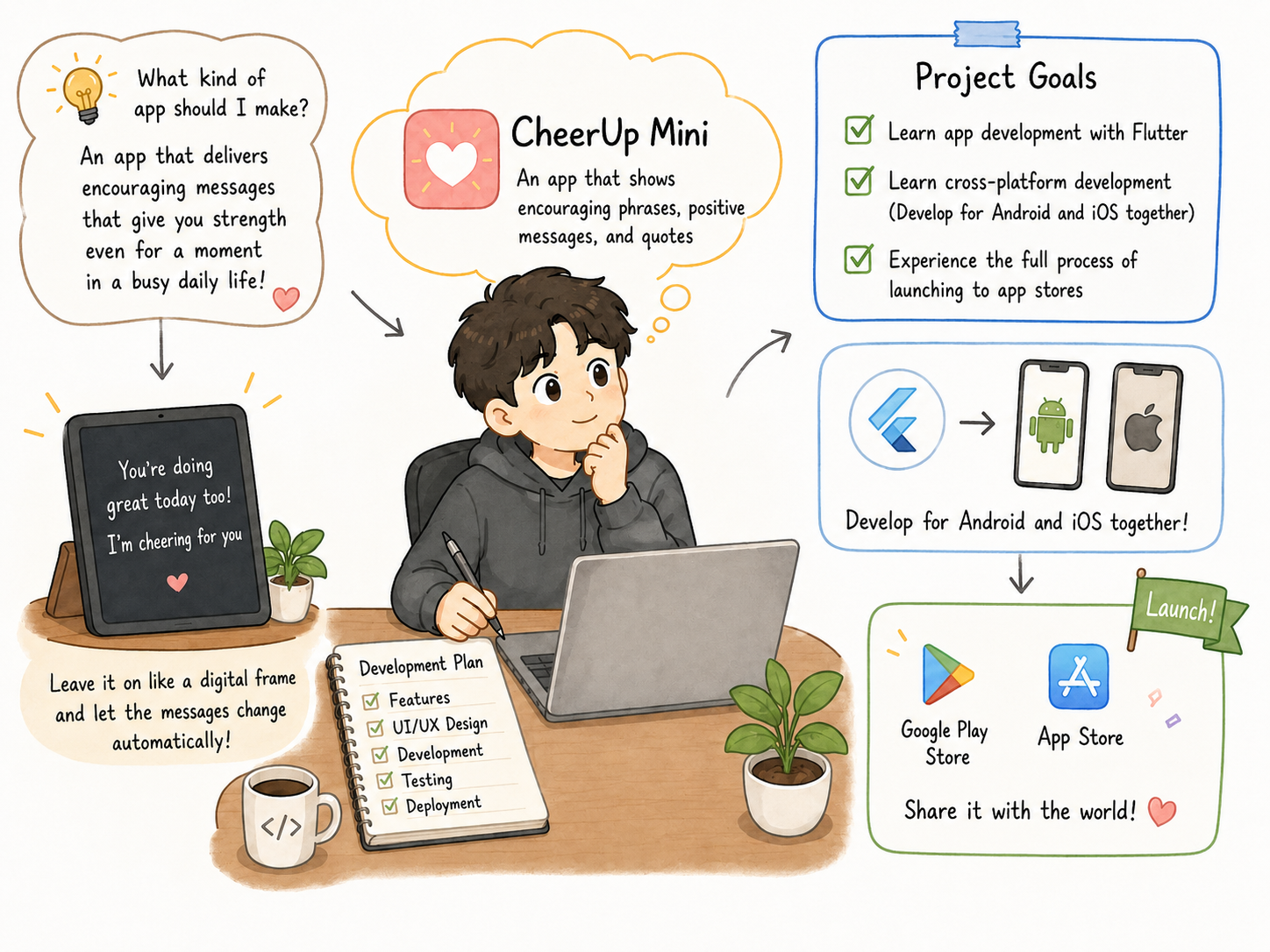
Because this was my first app development project, I chose an app with relatively simple functionality. Rather than an app that required a server or payment features, it was an app with a simple screen structure that displayed phrases together with background images. I thought it would be enough if the app allowed me to learn Flutter app development and experience the full process of submitting an app to the app stores. Flutter is known as a framework that can create apps for multiple platforms from a single codebase, and it can be used to develop apps that support both Android and iOS [Flutter Official Website].
The idea itself began simply. I wanted to create an app that gathered and displayed words that give people strength, words of encouragement, and positive phrases. I thought it would be nice if someone could open the app even briefly during the day and see a positive sentence. I also wanted to make it more than just a list of phrases by turning it into an app like a digital photo frame, where the phrase and background automatically change when the screen is left on.
Background and Goal
Key Features
Encouraging phrase display
Provides various encouraging phrases and positive messages
Background image support
Provides background images that match the mood of each phrase
Automatic phrase switching
Automatically changes phrases in digital photo frame mode
Favorites
Saves liked phrases and shows only favorited phrases
Multilingual support
Supports Korean, English, Spanish, Japanese, Chinese, and Russian
In-app ads
Ads through Google AdMob
Development
Setting the Development Goals
The goal of "CheerUp Mini" was to carry out a mobile app project that would let me experience the process all the way through an actual store release.
I clearly limited the feature scope from the beginning. I excluded features that would increase release difficulty, such as a server, login, and payments, and focused on experiencing the basic mobile app development flow and deployment process from start to finish.
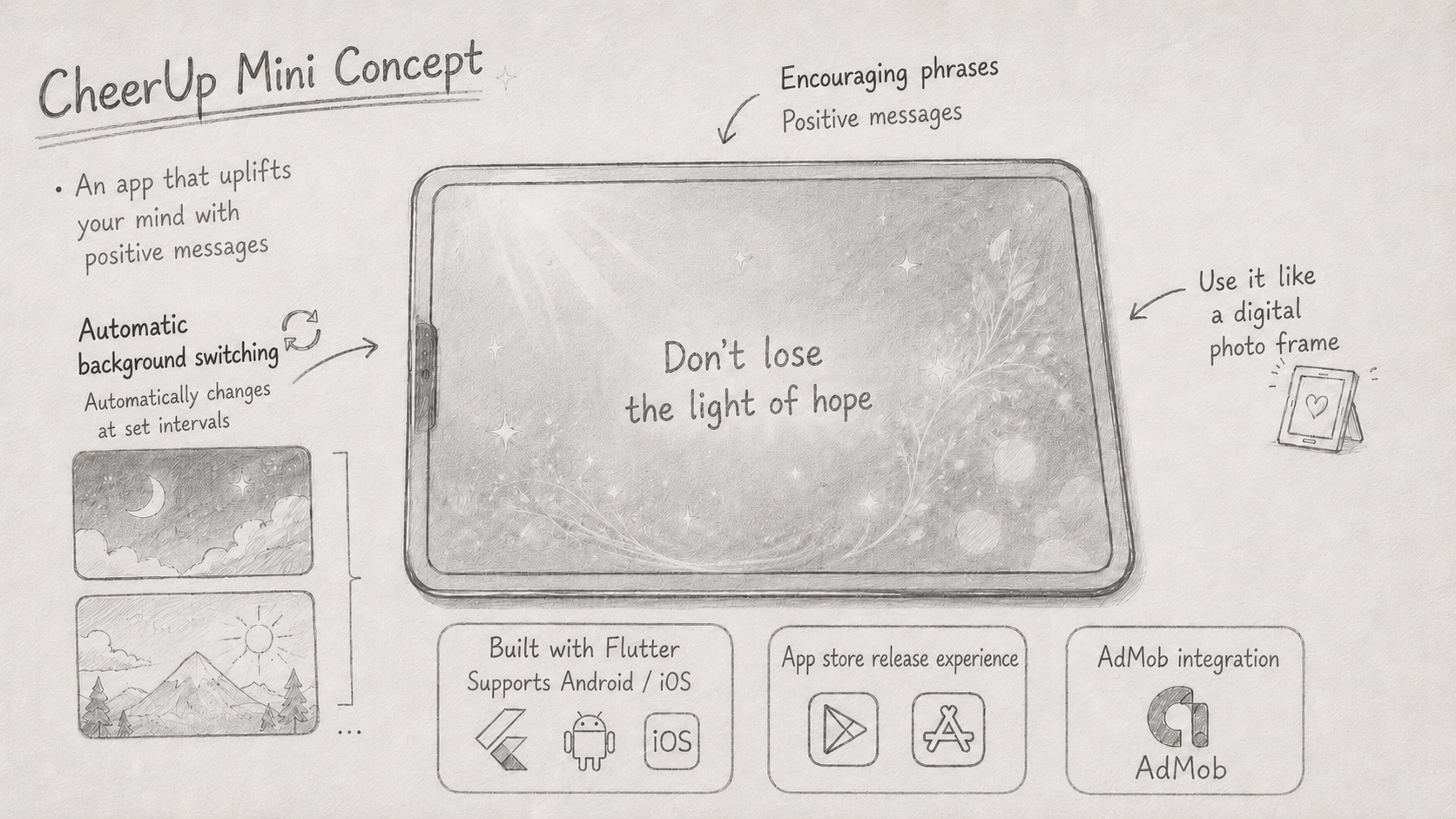
The core concept of the project was “an app for enjoying short encouraging phrases like a digital photo frame.” I planned it so that when the user left the app open, the phrases and background images would switch automatically.
Concept for CheerUp Mini
System Architecture
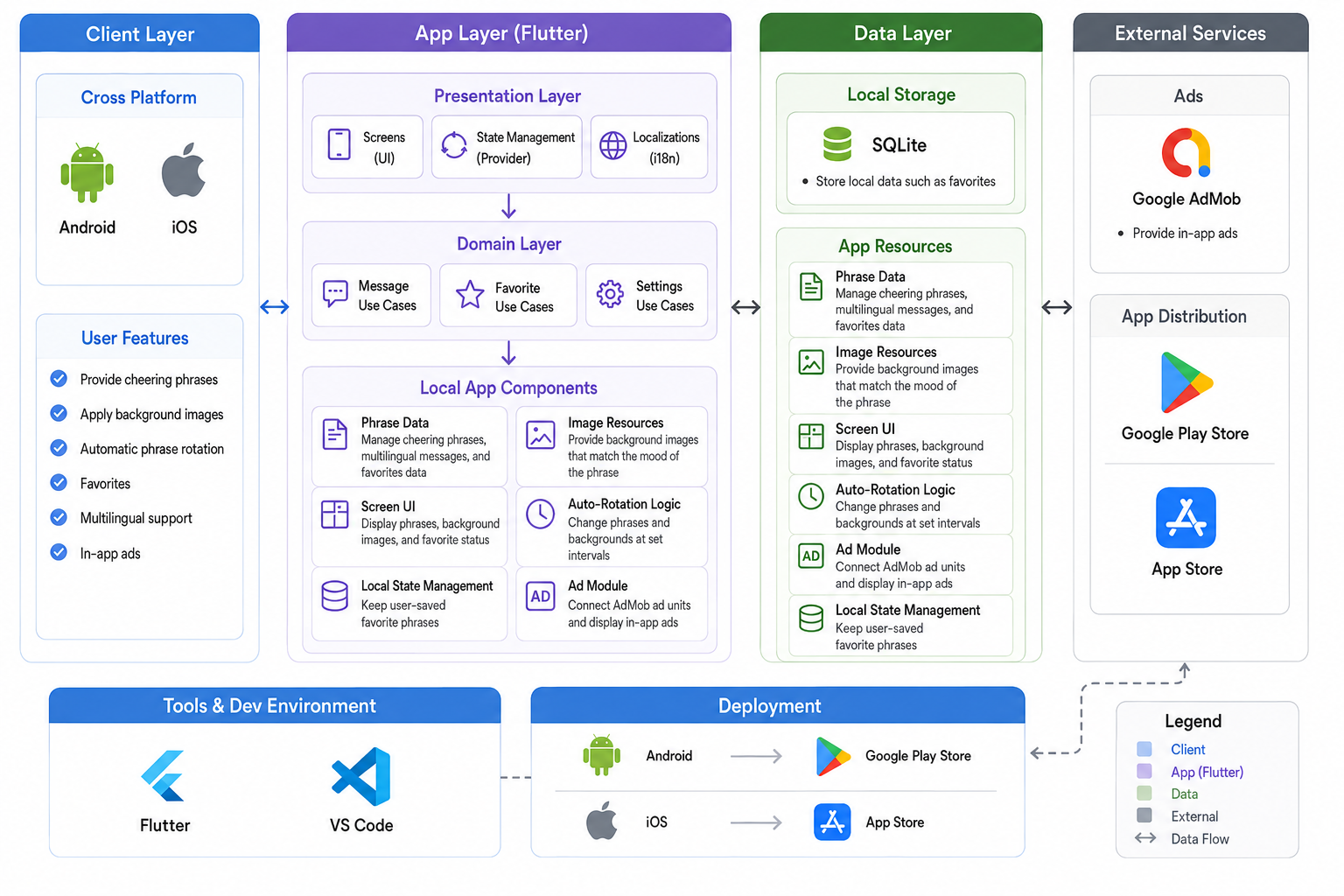
"CheerUp Mini" runs without a separate server. Phrase data and image resources are included inside the app, and the app combines and displays them on the screen.
Component
Role
Phrase data
Manages encouraging phrases, messages by language, and data for favorites
Image resources
Provide background images that match the mood of each phrase
Screen UI
Displays phrases, shows background images, and indicates favorite status
Automatic switching logic
Changes the phrase and background at set intervals
Local state management
Maintains the favorite phrases saved by the user
Ad module
Connects AdMob ad units and displays ads inside the app
System Architecture Diagram
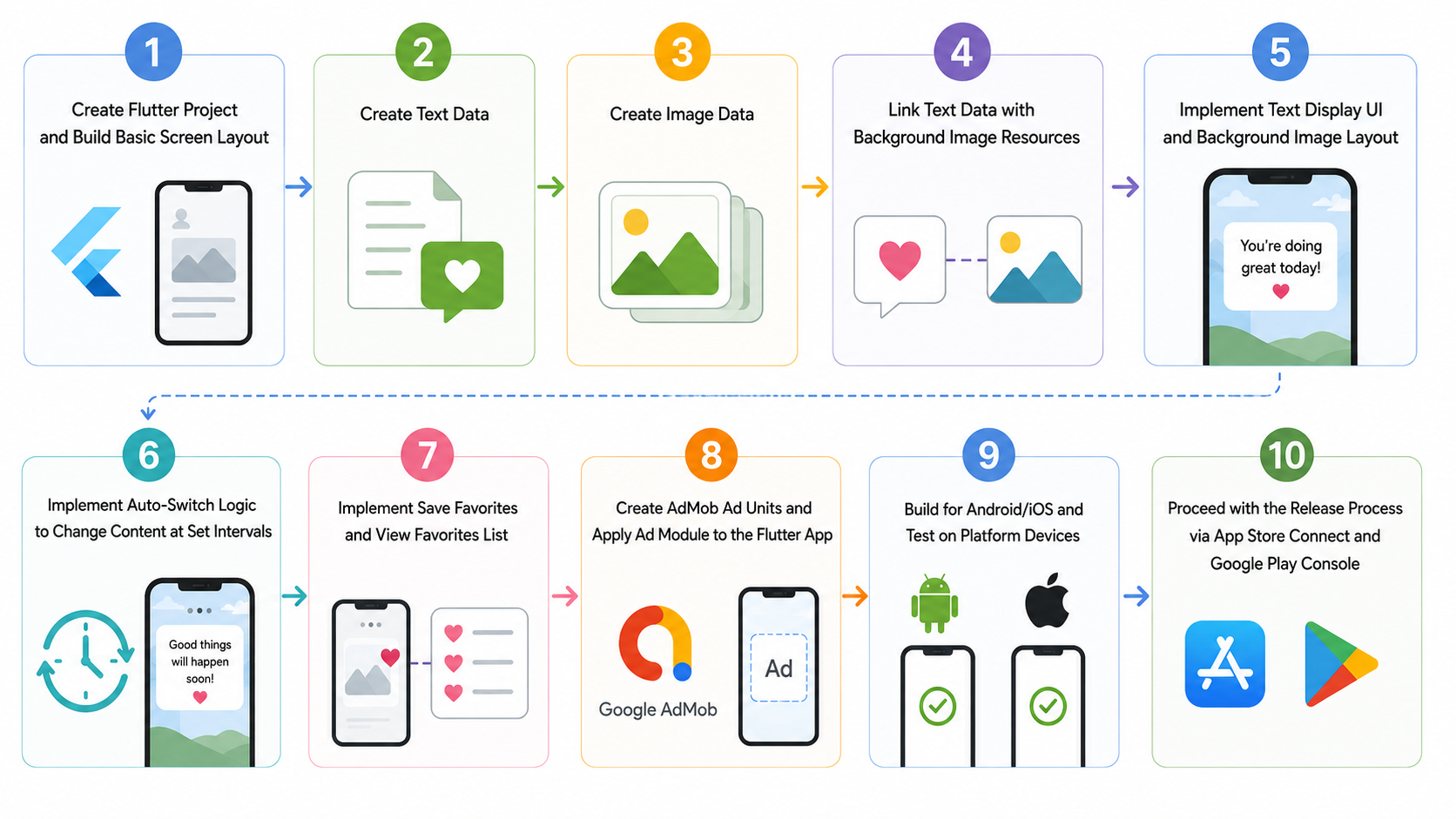
Core Implementation Flow
Implementation Flow
Applying AdMob and Responding to Ad Review
Applying AdMob did not end with simply adding ad code. I experienced having my AdMob account temporarily suspended for about a week.
In AdMob, an app can be registered while unpublished and ad units can be created in advance, but app verification is only possible after the app has been released on a store. Google’s official documentation also explains that an app must be linked to a supported store to be reviewed, and that ad serving may be limited during review [AdMob - About app readiness].
Before the app was released, real ads were displayed during the store review process. Possibly because of this, my AdMob account was temporarily suspended. I cannot determine the exact reason for the suspension, but I learned that during the development and release stages, it is essential to check the use of test ads, whether app verification has been completed, and the ad serving restriction status. Google also advises developers to use test ads instead of real ads during development and explains that clicking real ads can cause an account to be flagged for invalid activity [AdMob - How you can prevent invalid activity].
Store Deployment Process and Issue Handling
"CheerUp Mini" was developed with the goal of deploying it on both iOS and Android.
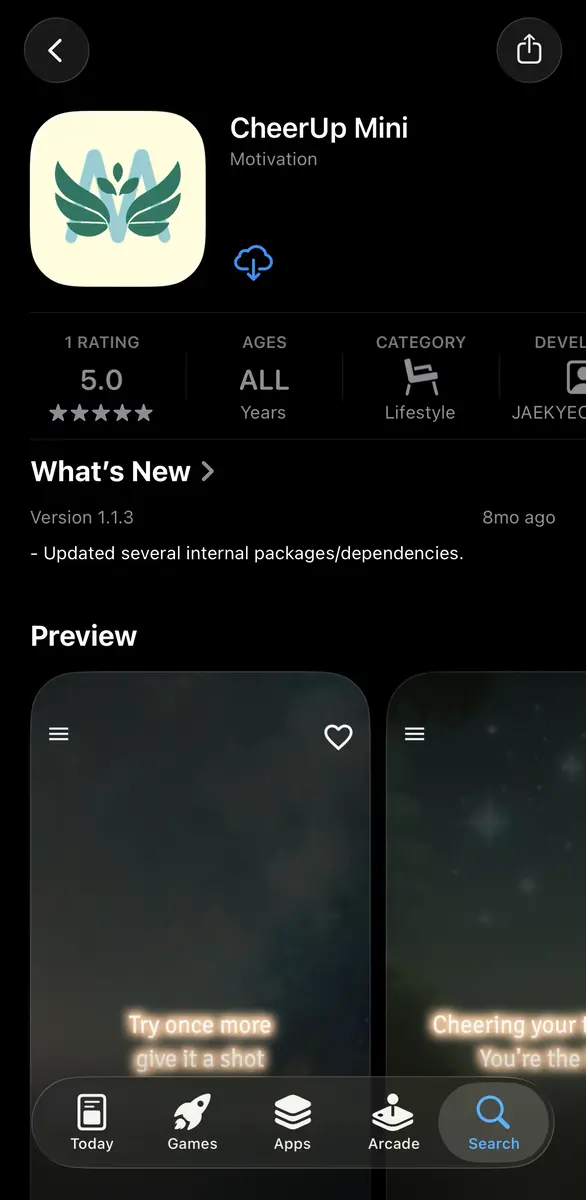
The iOS release was handled through App Store Connect [Apple Developer - App Store Connect], and by following the required process, I was able to release it without any issues.
Google Play requires new personal developer accounts to meet closed testing requirements before a production release. At the time, the official documentation required at least 20 testers to participate for 14 consecutive days (currently, at least 12 testers are required). When applying for production access, developers also need to answer questions about the app’s testing process and release readiness [Goole Play - App testing requirements for new personal developer accounts].
The first application was not approved, so during the next closed test, I focused on communicating with testers, collecting and reviewing user feedback, and reflecting user feedback. Google Play’s closed testing guidance also recommends testing with specific users, providing a feedback channel, and collecting private feedback [Goole Play - App testing requirements for new personal developer accounts].
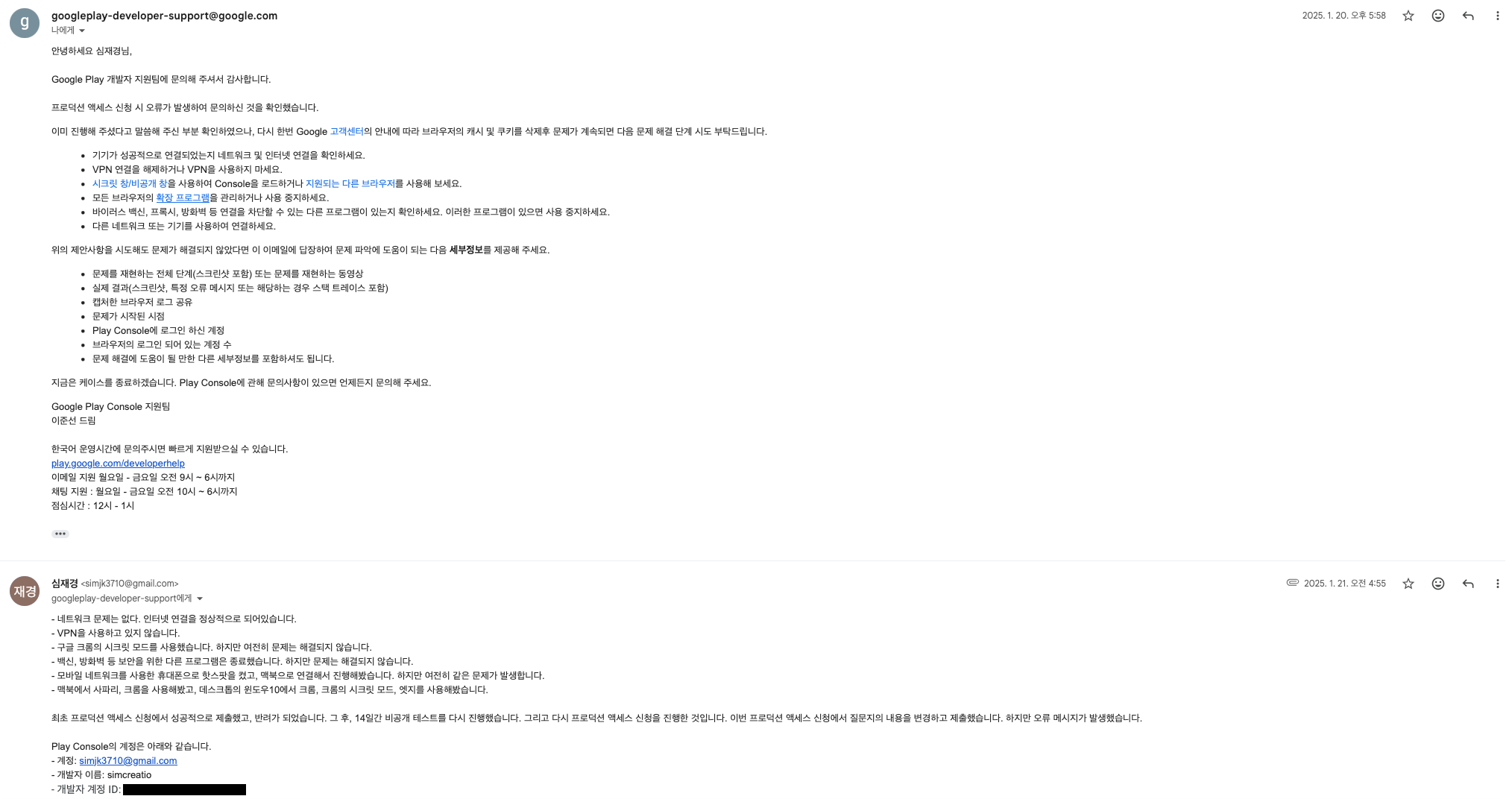
A different issue occurred during the second production access application. When I tried to submit the application questionnaire, "An unexpected error occurred. Please try again later." this message kept appearing, so the submission could not proceed. This error did not occur only in my environment. Stack Overflow also contains cases where, during production deployment or publishing in Google Play Console, “An unexpected error occurred. Please try again later” the error was reported by other users [Stack Overflow - what is this error "An unexpected error occurred. Please try again later. (8869003)"].
I handled the error step by step.
Changing browsers, clearing cookies and cache, using incognito mode, checking the VPN, and other client-side variables were eliminated first. Since the issue still was not resolved, I contacted Google Play support and sent a video reproducing the error. However, even after following the suggested steps, the issue was not resolved, so Google Play support replied that I was told it would be reported to the development team. I was told to try again after Google Play Console was updated, but the issue still was not resolved. In the end, the app remained unreleased on Google Play.
Screen released on Apple's App StoreThe details of the inquiry regarding the error
Achievements
Study app development with Flutter
Success
Release on Google Play Store
Failure
Release on Apple App Store
Success
Apply Google AdMob in-app ads
Success
The result of this project is not simply about whether the app was successful. From the beginning, the purpose of this project was not to generate major revenue, but rather to personally learn the Flutter app development and store release process. From that perspective, this project was more than halfway successful.
Lessons Learned from the Project
"CheerUp Mini" was not a functionally complex app, but it was my first project that allowed me to experience a broader scope beyond the work of a mobile app developer, extending all the way to release. I learned that I needed to consider not only writing code, but also builds, reviews, policies, ads, and the possibility of release failure.
First, it is important to communicate with test participants, provide a channel for feedback, and reflect changes during the testing period.
Second, real ads should not be displayed before the app is released on the store and app verification is completed in AdMob. After the app is released, the verification status should be checked, and ads should be applied through an update.
Third, answers to production access questions should describe the testing process, how feedback was reflected, and the release readiness status in concrete detail.